For going deeper
Bible study tools: topic search, interlinear and an AI study companion
Bible ProJection's study tools let you search the whole Bible by word, phrase or idea, read the Hebrew and Greek word by word, and ask an AI study companion called Gnosis. The search and interlinear tools are free in your browser with no account.
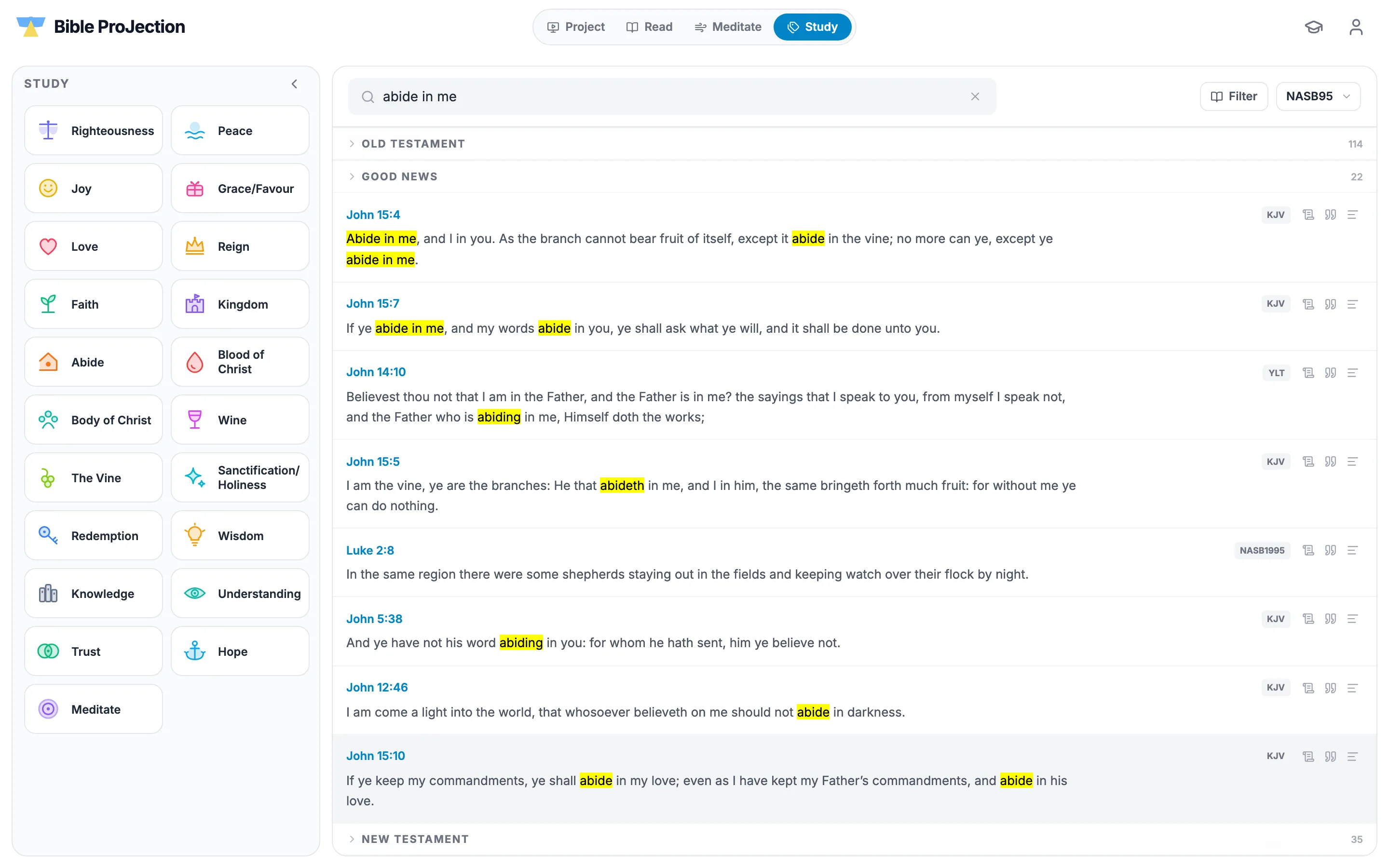
Search the Bible by topic, word or idea
Type a word, a phrase or a reference in the Study tab. Words are matched in their other forms, so forsake also finds forsaking, and a phrase in quotation marks needs those exact words together.
One-click topic chips such as Righteousness, Peace, Grace, Faith, Abide, Wisdom and Hope start a search for you. Results are grouped under Old Testament, Good News and New Testament, so you can see how a theme runs through Scripture, and a filter narrows them to the books you choose.
Read the original languages
Interlinear mode sets a chapter of the original text word by word: the Hebrew or Greek word, its transliteration, the English for that word and its Strong's number. Hover a word to see its grammar code.
Focus opens one verse with a card for every word, giving its form, its dictionary form, its meaning and how often it is used. The word data and the English under each word come from the Berean Standard Bible tables, which are public domain.
Compare translations and read the commentary
Compare with sets any translations you tick beside each other, for a whole chapter or only the verses you select. The Guide beside the reader gives an introduction to each book and an outline of each chapter, drawn from Matthew Henry's Concise Commentary, which is public domain.
Ask Gnosis
Gnosis is a study companion you can ask about a word, a verse, a chapter or its background. It draws on classic public-domain commentaries, including Matthew Henry, Calvin, Wesley, Barnes and Jamieson-Fausset-Brown, along with Greek and Hebrew dictionaries and cross-references. A Google AI service then writes the answer from that material.
A free account includes a few Gnosis messages a day. Treat any AI answer as a study aid and check it against Scripture.
Questions people ask
Yes. Interlinear mode in the Read tab is free and needs no account. It shows the Hebrew or Greek word, its transliteration, the English and the Strong's number for each word.
Open the Study tab and type a word, phrase or idea, or click a topic chip such as Grace or Abide. Results are grouped by Old Testament, Good News and New Testament.
Gnosis is Bible ProJection's AI study companion. You ask about a word, verse or passage and it answers using classic public-domain commentaries, Greek and Hebrew dictionaries and cross-references.
Yes. Pick any available version in the translation picker and Study searches and shows that version. All versions on offer today are free.